
Screenshots
About After The Rain Grass Wallpaper
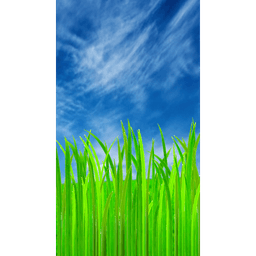
After The Rain Grass Wallpaper is a live wallpaper that brings the calm of freshly rain-soaked grass to your home screen. This real-time 3D simulation uses OpenGL 2.0 to render individual grass blades in dynamic motion—no static images or battery-draining video required.
Take full control over how your wallpaper looks through straightforward settings. Adjust grass density from 1 to 150 blades to match your preference, whether you want a sparse, minimalist appearance or thick, abundant coverage. This flexibility lets you balance stunning visuals with smooth device performance.
Your privacy and battery life come first. The wallpaper runs entirely offline with no internet connection needed, displays zero ads, and requests no permissions. The efficient 3D simulation keeps your device responsive while grass moves naturally across your display, creating a living, breathing scene that feels calm and grounded.
After The Rain Grass Wallpaper is built for anyone who wants a nature-inspired home screen that works quietly in the background—respecting your device, your data, and your peace of mind.
Pros & Cons
Pros
- Real-time 3D grass simulation avoids battery drain from video playback
- Adjustable grass density lets you balance visual quality with device performance
- No ads, no permissions, and works completely offline
- Efficient OpenGL rendering keeps your device responsive while animating
Cons
- Live wallpaper may still consume more battery than static alternatives
- 3D rendering performance depends heavily on your device's GPU capabilities
- No option to pause or disable animation when not actively viewing home screen
- Limited customization beyond grass density—cannot adjust color, wind speed, or rain effects
Frequently asked questions about After The Rain Grass Wallpaper
Is After The Rain Grass Wallpaper safe to download?
A malware scan report for this version of After The Rain Grass Wallpaper is not available on Unstore yet. Only install files from sources you trust and keep your device's security protection turned on.
What are the system requirements for After The Rain Grass Wallpaper?
After The Rain Grass Wallpaper runs on Android. It requires Android 2.2 (Froyo) or later. The download size is 2.0 MB.
Who develops After The Rain Grass Wallpaper?
After The Rain Grass Wallpaper is developed by nayomnik.
Related Apps

AlienGUIse
Desktop themes and manager for Windows — transform your system with 5 futuristic designs.

SharpKeys
Remap keyboard keys to launch apps, media controls, and custom commands on Windows.

RocketDock
Desktop launcher for Windows — quick access dock with customizable icons and positioning.

Custom Resolution Utility (CRU)
Display resolution utility: Create custom resolutions for your monitor with precise refresh rate control.

Lagguy Wallpapers
Lagguy
4K & HD wallpapers for Android — minimal, abstract, nature, AMOLED designs with lifetime access

Lock Screen OS
Apps Genz
Customize your lock screen with widgets, photos, and notifications. Replace Android's default lock screen.
Latest Articles

Play a free Color Ball Sort Puzzle-style game in your browser (no download)
Oct 6, 2026

Play a free Beach Buggy Racing-style kart racer in your browser (no download)
Oct 6, 2026

Play a free Alto's Adventure-style game in your browser (no download)
Oct 6, 2026

Free online whiteboard like Jamboard: use Quickboard in your browser, no signup
Oct 6, 2026

Free online running pace calculator: splits, race predictor and daily challenge, no download
Oct 6, 2026